
Vim Plugin can be installed using below plugin managers
- pathogen
- vundle
- vim-plug
- neobundle
I will use vim-plug because its simple & easy
Installing vim-plug
create .vimrc in your root directory if its not already present and add below config to it
vim ~/.vimrc
" Specify a directory for plugins
" - For Neovim: ~/.local/share/nvim/plugged
" - Avoid using standard Vim directory names like 'plugin'
call plug#begin('~/.vim/plugged')

" Make sure you use single quotes

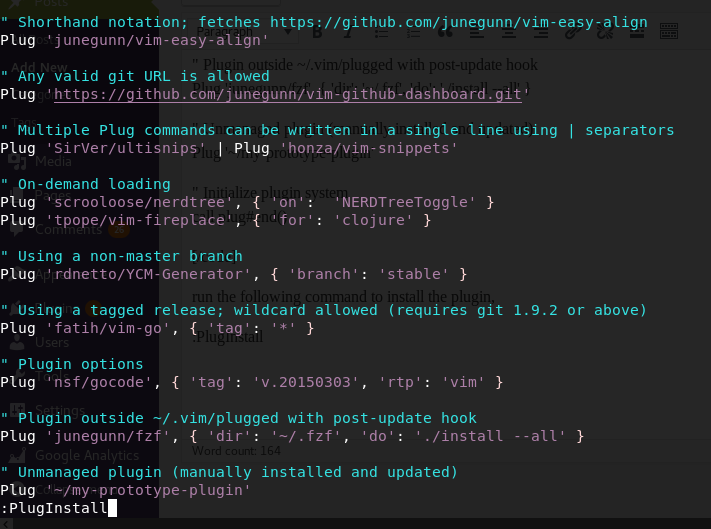
" Shorthand notation; fetches https://github.com/junegunn/vim-easy-align
Plug 'junegunn/vim-easy-align'

" Any valid git URL is allowed
Plug 'https://github.com/junegunn/vim-github-dashboard.git'

" Multiple Plug commands can be written in a single line using | separators
Plug 'SirVer/ultisnips' | Plug 'honza/vim-snippets'

" On-demand loading
Plug 'scrooloose/nerdtree', { 'on': 'NERDTreeToggle' }
Plug 'tpope/vim-fireplace', { 'for': 'clojure' }

" Using a non-master branch
Plug 'rdnetto/YCM-Generator', { 'branch': 'stable' }

" Using a tagged release; wildcard allowed (requires git 1.9.2 or above)
Plug 'fatih/vim-go', { 'tag': '*' }

" Plugin options
Plug 'nsf/gocode', { 'tag': 'v.20150303', 'rtp': 'vim' }

" Plugin outside ~/.vim/plugged with post-update hook
Plug 'junegunn/fzf', { 'dir': '~/.fzf', 'do': './install --all' }

" Unmanaged plugin (manually installed and updated)
Plug '~/my-prototype-plugin'

Plug 'valloric/youcompleteme'

Plug 'townk/vim-autoclose'

Plug 'pangloss/vim-javascript'

Plug 'rip-rip/clang_complete'

Plug 'mattn/emmet-vim'

Plug 'terryma/vim-multiple-cursors'
" Initialize plugin system
call plug#end()
run the following command to install the plugin,
:PlugInstall
Install autoclose plugin using vim-plug
Now, lets try to install a plugin called autoclose, which auto-completes for open-close pair of characters feature. Add the following line to .vimrc
Plug 'townk/vim-autoclose'
and run
:source %
:PlugInstall
this will give you the below screen when its done, you can simple close it using :q and verify if the installed plugin works
Testing to see if it works
open vim, any sample file & just type { and the editor should complete it with }
For more interesting plugins you can visit vimawesome
Mutli-select using vim
https://github.com/terryma/vim-multiple-cursors#quick-start
Please do check other blog post on goacademy